How to Build a Gaming PC on a Budget: Your Expert Guide

A dimly lit minimalist gaming setup featuring a desktop PC and neon lights.Photo: Isabella Mendes / Pexels

How to Build a Gaming PC on a Budget: Your Expert Guide

Unlock incredible gaming performance without breaking the bank with our step-by-step, comprehensive budget PC building guide.

Start Building Your Dream PC!

Key Takeaways

  • ✓ Building your own gaming PC can save you hundreds of dollars compared to pre-built systems.
  • ✓ Strategic component selection is crucial for maximizing performance within a budget.
  • ✓ Even budget builds can run modern games at respectable frame rates with smart choices.
  • ✓ Patience and research are your most valuable tools when building on a tight budget.

How It Works

1
Define Your Budget & Performance Goals

Before buying anything, set a realistic monetary limit and determine what games you want to play and at what resolution/frame rate. This will guide your component selection.

2
Research & Select Components Wisely

Dive deep into researching CPUs, GPUs, RAM, storage, and motherboards that offer the best performance-per-dollar. Look for sales, used parts, and previous-generation hardware.

3
Assemble Your PC Step-by-Step

Follow detailed assembly guides, taking your time to install each component correctly. Proper cable management and thermal paste application are key for longevity and performance.

4
Install OS, Drivers & Optimize

After assembly, install your operating system, all necessary drivers for your components, and perform initial optimizations. This ensures your system runs smoothly and efficiently.

The Foundation: Understanding Your Budget Gaming PC Components
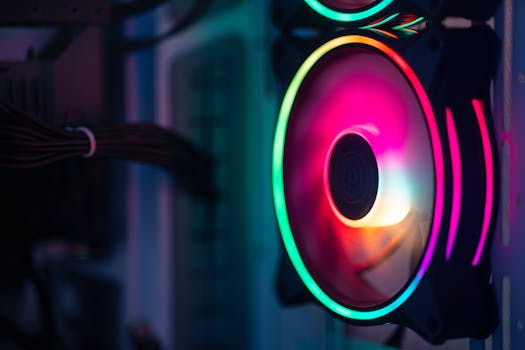
Close-up of a colorful RGB cooling fan in a gaming PC setup.Photo: Necroform Art / Pexels
Embarking on the journey of how to build a gaming PC budget-friendly is an exciting endeavor, but it requires a solid understanding of the core components. Unlike simply picking the most expensive parts, a budget build is about smart compromises and maximizing value. Every dollar counts, and allocating your funds strategically is paramount. The central pillars of any gaming PC are the CPU (Central Processing Unit), GPU (Graphics Processing Unit), RAM (Random Access Memory), storage, motherboard, power supply unit (PSU), and case. Each plays a vital role, and a weakness in one can bottleneck the performance of others, even if they are top-tier. Let's break down the role of each and how to approach them from a budget perspective. The CPU is the brain of your computer, handling general computations and game logic. For budget builds, look towards AMD's Ryzen 3 or 5 series, or Intel's i3 or i5 series, particularly previous generations or those with integrated graphics if you're _really_ stretching pennies and plan to add a dedicated GPU later. These processors offer excellent multi-core performance for their price point, crucial for modern gaming and multitasking. The GPU is arguably the most critical component for gaming performance, as it renders the graphics you see on screen. This is where a significant portion of your budget should be allocated. For budget gaming, target GPUs like AMD's RX 6600/6600 XT or NVIDIA's RTX 3050/3060. These cards can deliver solid 1080p performance in most modern titles. Sometimes, finding a used card a generation or two older, like a GTX 1070 or RX 580, can offer incredible value, but always exercise caution when buying used electronics. RAM is essential for multitasking and game loading. While 16GB is the sweet spot for modern gaming, you can start with 8GB (2x4GB sticks) of DDR4 RAM running at 3200MHz or 3600MHz on a tight budget, with the intention to upgrade later. Faster RAM significantly benefits AMD Ryzen processors. For storage, an NVMe SSD is non-negotiable for your operating system and frequently played games due to its speed. A 500GB or 1TB NVMe drive is a good starting point. You can complement this with a larger, cheaper HDD for bulk storage if needed, but prioritize the SSD for speed. The motherboard connects all your components. For budget builds, a B-series chipset (e.g., B450, B550 for AMD; B460, B560 for Intel) offers a good balance of features and cost. Ensure it supports your chosen CPU and RAM speeds. The PSU provides power to all your components; never skimp here. A reliable 80 Plus Bronze certified 550W-650W unit from a reputable brand like Corsair, Seasonic, or EVGA is a safe bet, providing enough headroom for future upgrades. Finally, the case is more than just aesthetics; it affects airflow and ease of building. Look for cases with good airflow, decent cable management options, and enough space for your components, often found in the $50-$80 range. Prioritizing functionality over flashy RGB is key here. Understanding these roles allows you to make informed decisions and build a robust, budget-friendly gaming machine. For more detailed insights into component selection, consider exploring choosing PC parts wisely.

Strategic Shopping: Finding the Best Deals and Saving Money

Calculator application on mobile phone screen on white surface near crop anonymous person holding pile of dollarsPhoto: www.kaboompics.com / Pexels
One of the most critical aspects of how to build a gaming PC budget-conscious is mastering the art of strategic shopping. Simply walking into a retail store and buying everything new at MSRP will quickly deplete your funds. The savvy budget builder leverages a variety of resources and tactics to stretch every dollar. This often means being patient, vigilant, and open to alternatives. Firstly, keep a keen eye on sales events. Major holidays like Black Friday, Cyber Monday, Amazon Prime Day, and even smaller seasonal sales throughout the year can offer significant discounts on components. Sign up for newsletters from major retailers like Amazon, Newegg, Best Buy, and Micro Center to be notified of deals. Price tracking websites and browser extensions, such as PCPartPicker (which also helps with compatibility), Honey, or Keepa, can alert you when a component you're eyeing drops in price. Secondly, consider buying used components, but proceed with caution. The used market, primarily through platforms like eBay, Facebook Marketplace, and hardware swap subreddits (e.g., r/hardwareswap), can be a goldmine for GPUs, CPUs, and even RAM. A used GPU, a generation or two old, often offers phenomenal performance-per-dollar. However, always verify the seller's reputation, ask for benchmarks or proof of functionality, and use payment methods that offer buyer protection. Avoid buying used PSUs or storage drives, as their lifespan can be unpredictable and failures can be catastrophic for other components. Thirdly, don't underestimate manufacturer refurbished items. Many reputable brands sell refurbished components directly or through authorized resellers. These items have often been returned, inspected, repaired if necessary, and certified to be in working condition, usually with a warranty, albeit shorter than new. This can be an excellent way to get higher-tier components for less. Fourth, leverage bundle deals. Retailers sometimes offer CPU and motherboard bundles, or RAM and storage combos, at a reduced price. These can simplify compatibility and save a few bucks. Also, don't forget about open-box items. Many electronics stores have open-box policies, selling returned items at a discount. Always check the condition and warranty terms carefully. Finally, be flexible with brands and aesthetics. While some brands have a premium, many lesser-known but reputable brands offer similar performance for less. Similarly, fancy RGB lighting or tempered glass panels can drive up case costs. Prioritize functionality and performance over flashy aesthetics when on a strict budget. By employing these strategic shopping techniques, you can significantly reduce the overall cost of your build while still achieving impressive gaming performance. Patience and persistence are your greatest assets in securing those elusive deals.

Assembling Your Budget Beast: A Step-by-Step Guide

A man carefully fits a glass panel onto a gaming PC while adjusting internal cables.Photo: Ron Lach / Pexels
Once all your carefully selected and strategically purchased components have arrived, the real fun begins: assembling your budget gaming PC. While it might seem daunting, it's essentially a sophisticated LEGO set for adults. Taking your time, following instructions, and being methodical will ensure a smooth build process. Before you begin, gather your tools: a Phillips head screwdriver (magnetic tip is a bonus), zip ties or Velcro straps for cable management, and potentially some thermal paste if your CPU cooler doesn't come pre-applied or if you're using an aftermarket cooler. Work on a clean, well-lit surface, and remember to ground yourself frequently to discharge static electricity, which can damage components. You can do this by touching a metal part of your PC case or wearing an anti-static wrist strap. Start by installing the CPU onto the motherboard. Carefully lift the CPU retention arm, align the CPU's golden triangle with the triangle on the motherboard socket, and gently lower it into place without forcing it. Then, close the retention arm. Next, install the CPU cooler. If it's a stock cooler, it usually comes with thermal paste pre-applied. For aftermarket coolers, apply a pea-sized dot of thermal paste to the center of the CPU before mounting the cooler according to its specific instructions. After the CPU and cooler, install the RAM. Open the clips on the RAM slots, align the notch on the RAM stick with the notch in the slot, and firmly press down on both ends until the clips snap into place. For dual-channel performance, refer to your motherboard manual for the correct slots (usually alternating). Now, mount the motherboard into the PC case. First, install the I/O shield (the metal plate for your motherboard's ports) into the case from the inside. Then, carefully place the motherboard onto the standoffs in the case and secure it with screws. Ensure all screw holes align properly. Next comes the GPU. Locate the PCIe x16 slot (the longest one) on your motherboard. Remove the corresponding slot covers from the back of your case. Align the GPU with the slot and firmly push it down until it clicks into place and the retention clip engages. Secure it with a screw to the case. Install your storage drives. NVMe SSDs usually slot directly into M.2 slots on the motherboard and are secured with a small screw. SATA SSDs and HDDs are typically mounted in drive bays within the case and connected via SATA data and power cables. Finally, the power supply unit. Mount the PSU into its designated bay in the case, usually at the bottom. Connect the necessary power cables: the 24-pin ATX power cable to the motherboard, the 4/8-pin CPU power cable, the PCIe power cables to your GPU (if it requires them), and SATA power cables to your drives. Connect the front panel connectors (power switch, reset switch, USB, audio) to the motherboard, referring to your motherboard manual for the correct pin assignments. This part can be fiddly, but it's crucial. Once everything is connected, perform initial cable management to improve airflow and aesthetics. Don't worry about perfection on your first build, just ensure cables aren't obstructing fans or airflow. Double-check all connections before attempting to power on your new budget gaming PC. For a visual guide, searching for PC building tutorials on YouTube can be incredibly helpful.

Common Pitfalls and How to Avoid Them in Budget PC Builds

Building a budget gaming PC is a rewarding experience, but it's also ripe with potential pitfalls that can either inflate your costs or compromise performance. Being aware of these common mistakes beforehand can save you headaches, time, and money. **1. Skimping on the Power Supply (PSU):** This is perhaps the most dangerous mistake. A cheap, unreliable PSU can fail prematurely, potentially taking other expensive components with it. Always invest in a reputable brand with an 80 Plus Bronze or higher certification, even if it means spending a little more upfront. It's an insurance policy for your entire system. **2. Bottlenecking Components:** This occurs when one component is significantly weaker than others, preventing the stronger components from performing at their full potential. The most common bottleneck is a weak CPU paired with a powerful GPU, or vice-versa. Use tools like online bottleneck calculators (with a grain of salt, as they are estimates) or research component pairings to ensure a balanced system. For budget builds, a balanced CPU and GPU are crucial. **3. Neglecting Thermal Management:** Overheating components lead to reduced performance (thermal throttling) and a shorter lifespan. Ensure your case has good airflow, install your CPU cooler correctly, and consider adding an extra case fan or two if your budget allows and temperatures are high. Don't forget to apply thermal paste correctly. **4. Buying Incompatible Parts:** While PCPartPicker is excellent for checking compatibility, always double-check. Ensure your motherboard socket matches your CPU, your RAM type (DDR4) and speed are supported by your motherboard and CPU, and your GPU physically fits in your case. **5. Forgetting Essential Peripherals and Software:** Your budget PC build isn't complete without a monitor, keyboard, mouse, and a legitimate operating system license. Factor these into your overall budget, as they can add a significant chunk to the final cost. Look for deals on these items too. **6. Impulse Buying:** Don't buy the first component you see on sale unless you've thoroughly researched it and confirmed it fits your build plan. Patience in waiting for the right deals on the right parts is a virtue for budget builders. **7. Poor Cable Management:** While it might seem cosmetic, bad cable management can restrict airflow, leading to higher temperatures. It also makes future upgrades or troubleshooting much harder. Take the time to route cables neatly. **8. Not Updating Drivers:** After assembling and installing your OS, immediately download and install the latest drivers for your GPU, motherboard chipset, and other components directly from the manufacturers' websites. Outdated drivers can cause performance issues and instability. By being mindful of these common pitfalls, you can navigate the complexities of how to build a gaming PC budget-friendly with greater confidence and ensure your new system performs optimally without unnecessary expenditures or compromises.

Comparison

FeatureEntry-Level Budget Build (~$500)Mid-Range Budget Build (~$800)Performance Budget Build (~$1200)
CPUAMD Ryzen 3 3100/Intel Core i3-10100FAMD Ryzen 5 5600/Intel Core i5-12400FAMD Ryzen 5 7600/Intel Core i5-13600K
GPUAMD RX 6600 (used)/NVIDIA GTX 1650AMD RX 6700 XT/NVIDIA RTX 3060AMD RX 7800 XT/NVIDIA RTX 4070
RAM8GB DDR4 3200MHz (2x4GB)16GB DDR4 3200MHz (2x8GB)32GB DDR5 6000MHz (2x16GB)
Storage500GB NVMe SSD1TB NVMe SSD2TB NVMe SSD
PSU450-550W 80+ Bronze550-650W 80+ Bronze/Gold750W+ 80+ Gold
Target Resolution1080p Low/Medium1080p High/1440p Medium1440p High/Ultra

What Our Readers Say

5 ★★★★★

"This guide was an absolute lifesaver! I managed to build my first gaming PC for under $700 following the advice on component selection and strategic shopping. It runs all my favorite games flawlessly at 1080p."

5 ★★★★★

"I always thought building a PC was too expensive, but learning how to build a gaming PC budget-friendly from this article changed my mind. The step-by-step assembly instructions were incredibly clear, and I felt confident throughout the process."

5 ★★★★★

"Thanks to this guide, I saved over $300 compared to a similar pre-built system. The tips on finding used GPUs and open-box items were especially valuable, allowing me to get a much better graphics card than I thought possible for my budget."

4 ★★★★☆

"The article is incredibly thorough and helpful for anyone looking to build on a budget. I did find that some component prices fluctuated more than expected, but the advice on being patient and looking for sales definitely paid off in the end."

5 ★★★★★

"As someone new to PC building, the section on common pitfalls was incredibly insightful. Avoiding those mistakes, particularly regarding the PSU and bottlenecks, ensured my first build was a success and performed exactly as I hoped."

Frequently Asked Questions

What is the absolute minimum budget to build a decent gaming PC?
While 'decent' is subjective, you can realistically build a functional 1080p gaming PC for around $500-$600 if you're smart about finding deals, especially on used components like the GPU. This budget will allow you to play most modern games at lower settings or older titles at higher settings, but won't offer future-proofing without upgrades.
Is it really cheaper to build a gaming PC than to buy a pre-built one?
Generally, yes, especially when building on a budget. Building allows you to optimize component selection for performance-per-dollar, take advantage of sales, and avoid the 'builder's premium' that pre-built systems often include. You also have full control over component quality and upgradability.
How do I ensure all my chosen components are compatible?
The easiest way is to use a tool like PCPartPicker.com. It allows you to select components, and it automatically checks for compatibility issues. Additionally, always refer to your motherboard's specifications to ensure it supports your chosen CPU socket, RAM type and speed, and storage interfaces.
Where should I allocate most of my budget for a gaming PC?
For gaming, the GPU (Graphics Processing Unit) should receive the largest portion of your budget. It's the primary component responsible for rendering game visuals and directly impacts frame rates. After the GPU, the CPU, and then a fast NVMe SSD, are the next most important areas for investment.
Should I buy a used GPU to save money, and what are the risks?
Buying a used GPU can offer significant savings and excellent performance for your budget. The risks include receiving a faulty card, one that was used for cryptocurrency mining (which can reduce lifespan), or a scam. Mitigate risks by buying from reputable sellers, asking for benchmark proof, and using payment methods with buyer protection.
Who should build a budget gaming PC instead of buying a console?
Someone who desires higher graphical fidelity and frame rates than consoles offer at a similar price point, wants access to a wider library of games (including PC exclusives and indie titles), values upgradability, and enjoys the customization and versatility of a PC for tasks beyond gaming.
What are the common mistakes to avoid when building a budget PC?
Common mistakes include skimping on the power supply, creating component bottlenecks (e.g., a powerful GPU with a weak CPU), neglecting proper cooling, buying incompatible parts, forgetting about essential peripherals and OS costs, and impulse buying without research. Always prioritize core components and reliability.
What's the future trend for budget gaming PC builds?
Future trends suggest continued improvements in integrated graphics (making entry-level discrete GPUs less necessary), more efficient CPUs and GPUs that offer better performance-per-watt, and the potential for DDR5 RAM prices to become more budget-friendly. The used market will also likely remain a vital resource for cost-effective upgrades.

Armed with this comprehensive guide, you now possess the knowledge and confidence to embark on your journey of how to build a gaming PC budget-friendly. Start planning your build today, unleash your inner gamer, and enjoy the satisfaction of creating a powerful machine without breaking the bank.

Topics: how to build a gaming pc budgetcheap gaming PCbudget PC build guidegaming computer partsDIY gaming PC
Leo List
Brampton weed
Adultwork