How to Choose a Gaming Laptop: Your Ultimate Guide
how to choose a gaming laptop

How to Choose a Gaming Laptop: Your Ultimate Guide

Unlock peak performance and immersive gameplay by making an informed decision on your next portable gaming powerhouse.

Find Your Perfect Gaming Laptop Now

Key Takeaways

  • ✓ GPU is the most critical component for gaming performance.
  • ✓ Screen refresh rate significantly impacts gameplay fluidity.
  • ✓ SSD storage is essential for fast game loading times.
  • ✓ Thermal management is crucial for sustained performance and longevity.

How It Works

1
Define Your Gaming Needs

Determine what types of games you'll play (casual, esports, AAA titles) and your desired resolution/frame rate. This sets the baseline for component requirements.

2
Set Your Budget

Establish a realistic budget range, as gaming laptops vary widely in price. This will help narrow down options and prioritize essential features.

3
Prioritize Key Components

Focus on the GPU, CPU, RAM, and storage as these dictate performance. Balance these components based on your budget and gaming priorities.

4
Consider Other Features

Evaluate display quality, keyboard, cooling system, and battery life. These factors enhance the overall gaming experience and portability.

Understanding Core Components for Gaming Performance
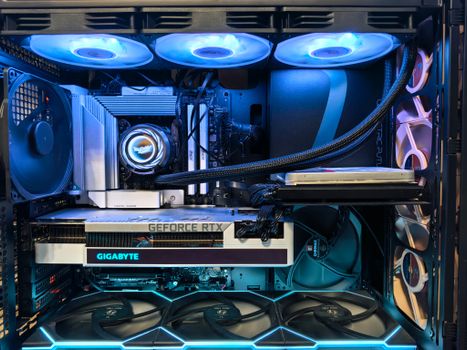
Close-up of an advanced gaming desktop PC with GeForce RTX, liquid cooling, and RGB lighting. Photo: Andrey Matveev / Pexels
When embarking on the quest of how to choose a gaming laptop, the first and most critical step is to dissect its core components. These are the heart and soul of your machine, directly dictating its ability to run demanding titles smoothly and deliver an immersive experience. At the forefront is the Graphics Processing Unit (GPU), often referred to as the graphics card. This is arguably the single most important piece of hardware for gaming. NVIDIA's GeForce RTX series (e.g., RTX 3050, RTX 3060, RTX 3070, RTX 3080, and the newer RTX 40 series) and AMD's Radeon RX series (e.g., RX 6600M, RX 6700M, RX 6800M) dominate the market. A higher-tier GPU translates directly to better frame rates, higher resolutions, and the ability to enable advanced graphical settings like ray tracing. Don't skimp here if you want to play the latest AAA games at their best. Next up is the Central Processing Unit (CPU). While the GPU handles the heavy lifting of rendering graphics, the CPU manages game logic, AI, physics, and background processes. Intel's Core i7 and i9 series and AMD's Ryzen 7 and Ryzen 9 series are the common choices. For most gaming scenarios, a modern mid-to-high-end CPU (e.g., Intel Core i7-12700H or AMD Ryzen 7 6800H) will be more than sufficient to avoid bottlenecks with a strong GPU. It's generally wise to prioritize a stronger GPU over a slightly faster CPU for gaming, assuming both are relatively modern. However, if you plan on streaming, video editing, or other CPU-intensive tasks alongside gaming, a more powerful CPU becomes more relevant. Random Access Memory (RAM) plays a crucial role in multitasking and game loading. While 8GB of RAM might be a bare minimum for some older titles, 16GB is highly recommended for modern gaming and general productivity. This allows your system to smoothly handle the game, operating system, and any background applications without stuttering. DDR4 RAM is standard, but newer laptops are transitioning to faster DDR5 RAM, offering marginal but noticeable improvements. Ensure your chosen laptop has at least 16GB, and if possible, consider models that allow for future upgrades to 32GB, especially if you foresee playing memory-intensive simulation games or using your laptop for professional creative work. Lastly, storage is paramount for game loading times. Solid State Drives (SSDs) are non-negotiable for gaming laptops. NVMe SSDs, in particular, offer lightning-fast read and write speeds compared to older SATA SSDs or traditional Hard Disk Drives (HDDs). Aim for at least a 512GB NVMe SSD, but 1TB or more is ideal given the ever-increasing size of modern game installations. Some laptops offer a combination of a smaller SSD for the operating system and a larger HDD for mass storage, but for pure gaming performance and responsiveness, an all-SSD setup is superior. Consider upgrading your storage if your initial purchase is limited. These core components form the backbone of your gaming experience, and understanding their interplay is key to making an informed decision.

Display, Cooling, and Ergonomics: Enhancing Your Gaming Experience
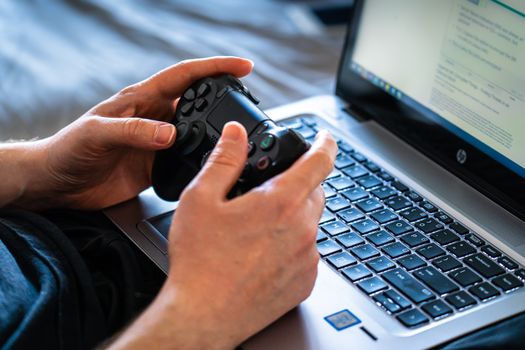
Person holds a gaming controller while interacting with a laptop, emphasizing modern gaming technology. Photo: Castorly Stock / Pexels
Beyond the raw power of the internal components, the overall gaming experience is profoundly influenced by the display, the efficiency of the cooling system, and the ergonomic design of the laptop. When considering how to choose a gaming laptop, these 'secondary' features can often be the difference between a good gaming session and a truly great one. The display is your window into the game world, and several factors are crucial. First, resolution: 1080p (Full HD) is the standard for most gaming laptops, offering a balance between visual fidelity and performance, especially on 15-inch and 17-inch screens. While 1440p (QHD) and 4K UHD panels are available, they require significantly more GPU power to drive high frame rates, often pushing into premium price brackets. Second, and arguably more important for gaming, is the refresh rate. A 120Hz, 144Hz, 240Hz, or even 360Hz display provides a much smoother visual experience compared to a standard 60Hz panel, which is particularly noticeable in fast-paced games. Look for a refresh rate of at least 120Hz for a truly fluid gaming experience. Response time (measured in milliseconds) is also important; lower numbers (e.g., 3ms or 5ms) reduce motion blur. Effective cooling is non-negotiable for gaming laptops. Powerful components generate a lot of heat, and if not dissipated efficiently, this leads to thermal throttling – where the CPU and GPU automatically reduce their clock speeds to prevent overheating. This results in decreased performance and a stuttering gaming experience. Look for laptops with robust cooling solutions, often featuring multiple fans, larger heatsinks, and strategically placed vents. Reviews often highlight a laptop's thermal performance, so pay close attention to real-world tests. While you might not be able to physically inspect the cooling system before purchase, research reputable brands known for their thermal management. Some laptops even offer user-controlled fan profiles, allowing you to prioritize performance or acoustics. Over time, proper cooling also contributes to the longevity of your laptop's components. Ergonomics, specifically the keyboard and trackpad, might seem minor but are vital for long gaming sessions. A good gaming laptop keyboard should have tactile feedback, adequate key travel, and anti-ghosting technology to register multiple simultaneous key presses accurately. RGB backlighting is a common feature, not just for aesthetics but also for visibility in low-light conditions. Some premium models offer mechanical or optical switches for an even more satisfying typing and gaming experience. While the trackpad is rarely used for gaming (most gamers use an external mouse), a precise and responsive trackpad is beneficial for general laptop use. Consider the overall build quality and materials; a sturdy chassis will withstand the rigors of travel and frequent use. Port selection is another ergonomic consideration; ensure there are enough USB ports (both Type-A and Type-C), an HDMI or DisplayPort for external monitors, and an Ethernet port for stable wired internet during gaming. These elements collectively contribute to a comfortable and engaging gaming environment, making your investment worthwhile.

Budgeting, Brand Reputation, and Future-Proofing Your Investment
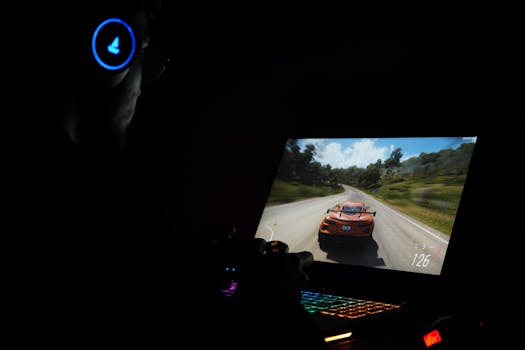
A gamer using a laptop and headphones to play a car racing game in a dark setting. Photo: Rajat Yadav / Pexels
The journey of how to choose a gaming laptop inevitably leads to the critical intersection of budget, brand reputation, and the concept of future-proofing. Gaming laptops span a wide price range, from entry-level models around $800-$1000 to high-end powerhouses exceeding $3000-$4000. Your budget will largely dictate the level of performance and features you can expect. Entry-level machines are suitable for esports titles and older games at 1080p, while mid-range laptops (typically $1200-$2000) offer a solid balance for most modern AAA games at 1080p with good settings. Premium laptops push into 1440p or even 4K gaming, often incorporating the latest GPUs and CPUs. It's crucial to set a realistic budget upfront and stick to it, prioritizing the components that matter most for your specific gaming habits. Remember that discounts and sales, especially around major holidays, can significantly impact what you can afford. Brand reputation and customer support are often overlooked but incredibly important. Established brands like ASUS (ROG and TUF series), MSI, Razer, Acer (Predator and Nitro series), Lenovo (Legion series), and Alienware (Dell) have a long history in the gaming laptop market. They often offer a wider range of models, better quality control, and more reliable customer service and warranty support. Researching user reviews and professional benchmarks for specific models can provide invaluable insights into real-world performance, common issues, and the effectiveness of their cooling systems. While a lesser-known brand might offer seemingly better specs for the price, the potential risks of poor build quality, inadequate cooling, or non-existent support might outweigh the initial savings. A good warranty and accessible technical support can save you significant headaches down the line, especially with complex gaming hardware. It's also worth checking trusted tech review sites for their annual gaming laptop recommendations. Future-proofing a gaming laptop is a challenging endeavor, as technology evolves rapidly. However, you can make choices that extend its viable lifespan. Investing in a slightly more powerful GPU than you currently need is a good strategy, as games will only become more graphically demanding. Opting for 16GB of RAM as a minimum, and ensuring the laptop allows for future RAM upgrades (i.e., has an accessible second SODIMM slot), is also smart. Similarly, choose a model that allows for additional M.2 NVMe SSDs or a larger capacity drive if your budget permits. While you can't upgrade the CPU or GPU in a laptop, you can often improve storage and RAM. Consider models with Thunderbolt 4 ports, which offer high bandwidth for external GPUs (eGPUs) – although eGPUs are often more of a desktop solution, it's an option for some. Finally, a robust cooling system not only maintains performance but also helps prolong the life of your components by preventing excessive heat stress. By balancing your budget with reputable brands and making smart component choices, you can ensure your gaming laptop remains a capable machine for years to come.

Common Mistakes to Avoid When Choosing a Gaming Laptop

A gamer using a laptop and headphones to play a car racing game in a dark setting. Photo: Rajat Yadav / Pexels
Navigating the vast market of gaming laptops can be daunting, and it's easy to fall prey to common pitfalls. Knowing how to choose a gaming laptop effectively means also knowing what mistakes to avoid. Here are some critical errors to steer clear of: * **Prioritizing CPU over GPU for pure gaming:** While a powerful CPU is good, for gaming, the GPU is king. Many beginners mistakenly think a top-tier CPU paired with a mediocre GPU will yield the best gaming performance. In reality, a balanced system with a stronger GPU will almost always provide better frame rates in games. * **Ignoring refresh rate:** A super-powerful GPU is wasted if your display only has a 60Hz refresh rate. The visual fluidity offered by 120Hz, 144Hz, or higher screens dramatically enhances the gaming experience, especially in fast-paced genres. Don't compromise on this for competitive or immersive play. * **Underestimating the importance of cooling:** Gaming laptops generate significant heat. A system with poor thermal management will throttle performance, meaning your expensive components won't perform at their advertised speeds. Always check reviews for thermal performance and sustained load tests. * **Skimping on storage type (HDD vs. SSD):** While a large HDD might seem like a good value, the slow loading times will severely impact your gaming experience. SSDs, particularly NVMe drives, are essential for quick boot-ups, fast game loading, and overall system responsiveness. Opt for at least 512GB NVMe SSD. * **Neglecting battery life (if portability matters):** If you plan to game on the go or use the laptop unplugged for productivity, a gaming laptop's notoriously short battery life can be a major drawback. Check battery benchmarks in reviews, especially for non-gaming tasks. * **Buying solely based on price:** The cheapest option isn't always the best value. Extremely cheap gaming laptops often cut corners on crucial components like the display, cooling, or build quality, leading to a frustrating experience. Conversely, don't overspend on features you don't need. * **Overlooking connectivity:** Ensure the laptop has enough ports for your peripherals (mouse, keyboard, external monitor, headset) and an Ethernet port for stable online gaming. Wi-Fi 6 or 6E is also a plus for wireless performance. By being aware of these common mistakes, you can make a more informed decision and select a gaming laptop that truly meets your needs and expectations.

Comparison

FeatureEntry-Level Gaming LaptopMid-Range Gaming LaptopHigh-End Gaming Laptop
Price Range$800 - $1200$1200 - $2000$2000+
GPURTX 3050/4050, RX 6600MRTX 3060/4060, RX 6700MRTX 3070/3080/4070/4080/4090, RX 6800M
CPUIntel Core i5/Ryzen 5Intel Core i7/Ryzen 7Intel Core i9/Ryzen 9
RAM8GB (upgradeable)16GB16GB - 32GB
Storage512GB NVMe SSD512GB - 1TB NVMe SSD1TB+ NVMe SSD
Display Refresh Rate60Hz - 120Hz120Hz - 240Hz144Hz - 360Hz
Resolution (Typical)1080p1080p (some 1440p)1440p / 4K
Cooling SystemBasicGoodExcellent
Build QualityPlastic/MixedMixed/AluminumPremium Aluminum/Magnesium
PortabilityFairGoodVariable (often heavier)

What Readers Say

"This guide was incredibly helpful in understanding how to choose a gaming laptop. I knew I needed a good GPU, but the details about refresh rates and cooling systems really clarified my decision-making process. Ended up with a fantastic machine!"

Alex J. · Austin, TX

"As a first-time gaming laptop buyer, I was overwhelmed. This article broke down complex specs into understandable language. I now feel confident in identifying the right components for my budget and game preferences."

Maria P. · Seattle, WA

"The section on common mistakes saved me from buying a laptop with a great CPU but a weak GPU. Thanks to this guide, I prioritized the graphics card and now enjoy smooth 144FPS on my favorite titles. Highly recommend reading before you buy!"

David L. · Orlando, FL

"Very thorough guide, especially the parts about SSDs and RAM. I wish there was a bit more on specific brand comparisons, but overall, it provided a solid framework for how to choose a gaming laptop that fits my needs."

Sarah K. · Denver, CO

"I used this guide to help my son pick his first gaming laptop. The emphasis on display quality and cooling was spot on. He's thrilled with his new laptop, and I'm happy we made an informed choice."

Ben T. · Chicago, IL

Frequently Asked Questions

What is the most important component when choosing a gaming laptop?

The Graphics Processing Unit (GPU) is hands-down the most critical component for gaming performance. It's responsible for rendering the visuals you see on screen, directly impacting frame rates and graphical fidelity. While other components are important, a powerful GPU should be your top priority.

Should I get 8GB or 16GB of RAM for a gaming laptop?

While 8GB might suffice for some older or less demanding games, 16GB of RAM is highly recommended for modern gaming. It ensures smoother multitasking, faster game loading, and better overall performance, preventing stutters, especially with demanding AAA titles and background applications.

How important is the screen refresh rate for gaming?

The screen refresh rate is extremely important for a fluid gaming experience. A higher refresh rate (e.g., 120Hz, 144Hz, 240Hz) means the screen updates more times per second, resulting in smoother motion and less input lag compared to a standard 60Hz display. This is particularly beneficial in fast-paced competitive games.

How much should I expect to spend on a good gaming laptop?

The cost of a good gaming laptop can vary significantly. You can find entry-level models suitable for esports and older games starting around $800-$1200. Mid-range laptops, offering a solid balance for most modern AAA games, typically cost between $1200-$2000. High-end machines with top-tier performance often exceed $2000.

Are gaming laptops good for anything other than gaming?

Yes, gaming laptops are excellent for other demanding tasks. Their powerful CPUs, ample RAM, and dedicated GPUs make them ideal for video editing, graphic design, 3D rendering, scientific simulations, and other creative or productivity-intensive workloads. They essentially function as high-performance mobile workstations.

Who should consider buying a gaming laptop?

Anyone who wants to play modern video games with good performance and graphics, but also requires the portability of a laptop, should consider a gaming laptop. This includes students, frequent travelers, or those with limited space for a desktop setup, who need a versatile machine for both work/study and entertainment.

Do gaming laptops overheat easily?

Gaming laptops generate significant heat due to their powerful components. While manufacturers design them with cooling solutions, sustained heavy gaming can still lead to high temperatures. It's crucial to research a laptop's thermal performance and ensure it has an effective cooling system to prevent thermal throttling and maintain performance.

What's the future of gaming laptops?

The future of gaming laptops points towards even more powerful and energy-efficient components, slimmer designs, and potentially better battery life. We can expect advancements in ray tracing, AI-powered upscaling technologies like DLSS/FSR, and potentially greater integration with cloud gaming services, blurring the lines between local and streamed experiences.

Armed with this comprehensive guide on how to choose a gaming laptop, you're now ready to make a confident and informed decision. Take the plunge and unlock unparalleled portable gaming experiences tailored exactly to your needs.

Topics: how to choose a gaming laptopgaming laptop buying guidebest gaming laptop componentsgaming laptop budgetgaming laptop performance
Leo List

DK Escorts LU Escorts AT Escorts SE Escorts FI Escorts CH Escorts DE Escorts HR Escorts IE Escorts GR Escorts CZ Escorts NO Escorts BE Escorts FR Escorts SI Escorts IL Escorts NL Escorts PL Escorts HU Escorts ES Escorts IT Escorts PT Escorts SK Escorts RO Escorts ZA Escorts UY Escorts US Escorts UK Escorts NZ Escorts AU Escorts
Brampton weed
Adultwork EstrelaBet Vai de Bet R7 Bet Betão Galera Bet Rainbet Bet9ja Shop SportyBet BetKing Sisal Loto Foot Hollywoodbets YesPlay Odibets RushBet Jugabet BetWarrior BetCity MSport betPawa Fortebet